By Kim · Facts checked 15 Nov 2026 · Azure payment eligibility and billing rules from GitHub Docs
If you’re considering moving GitHub charges to Azure, the documented change starts when you connect an eligible account: usage-based costs from that point are billed through Azure. GitHub Azure subscription payment eligibility depends on the billed account, with organizations and enterprises eligible and personal accounts excluded. Existing Copilot credit-card or PayPal payments add a separate restriction: they can’t switch to Azure. We distinguish that eligibility decision from moving existing invoiced licenses, which requires a different conversation. The connection date also matters because GitHub’s example separates earlier charges from usage incurred after linking.
Before you start, identify the account and charge type
- Identify whether the billed GitHub account is personal, organization, or enterprise.
- Check whether Copilot is currently paid by credit card or PayPal.
- Separate metered usage from existing invoiced Enterprise license charges.
- Arrange an Azure account able to provide tenant-wide admin consent, or an Azure administrator’s consent workflow; check the documented tenant user-consent exception.
- For a newly created enterprise paying through Azure, contact GitHub Support about enabling Copilot.
- For license migration, ask your account manager to confirm renewal timing and billing effects.
- Check the Azure commerce portal for your specific billing date.
Choose Azure for eligible organization or enterprise usage
Choose Azure subscription payment when the billed account is an organization or enterprise and the charges are eligible metered GitHub usage. Based on official documentation (checked 15 November 2026).
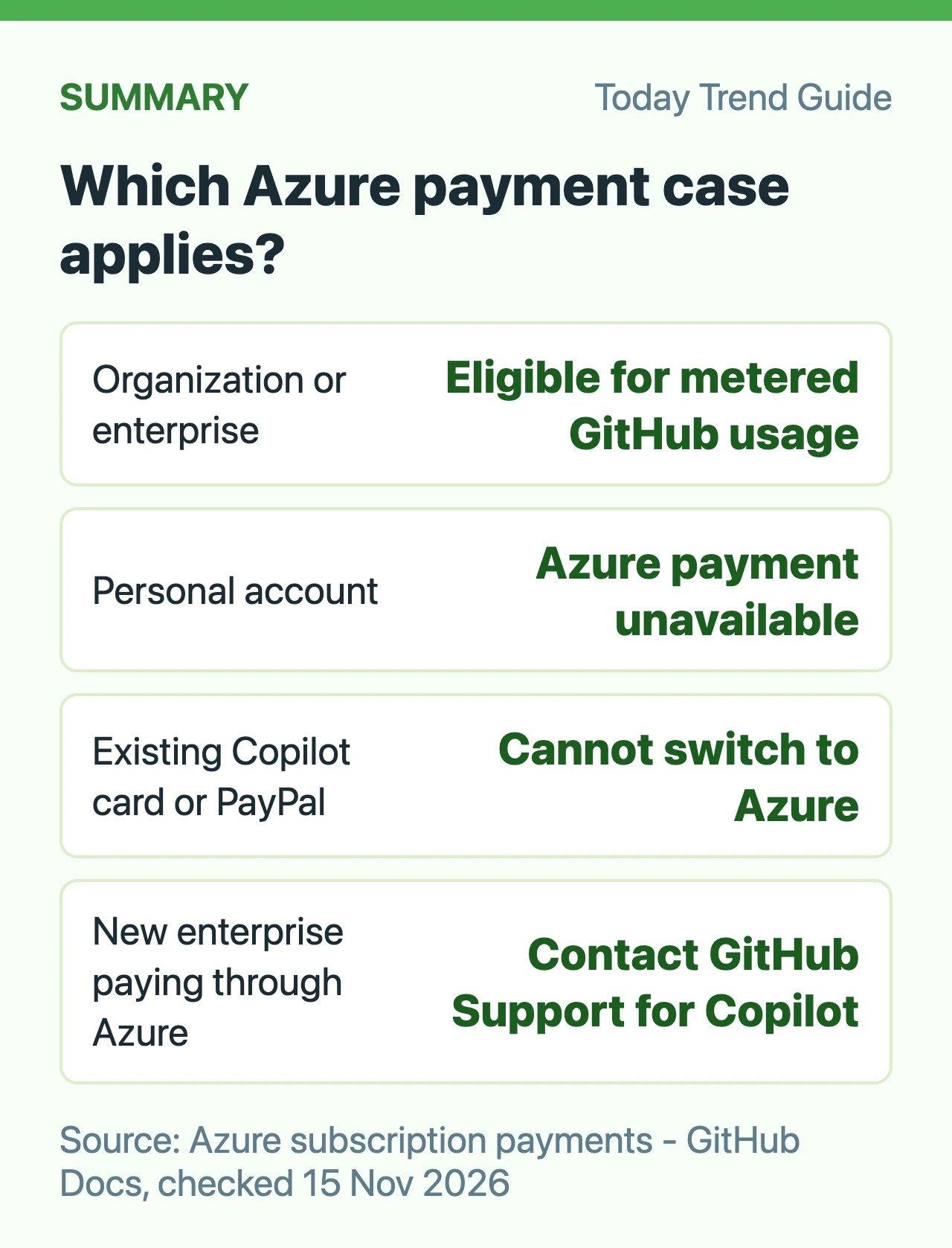
We use the billed account as the first decision point because GitHub excludes personal accounts. Account eligibility doesn’t override the separate Copilot restriction: if you already pay for Copilot with a credit card or PayPal, you cannot switch that payment method to Azure.
| Your situation: Organization or enterprise with metered usage |
Documented result: Azure subscription payment is available |
Your next action: Connect the Azure subscription to GitHub |
| Your situation: Personal account |
Documented result: Azure subscription payment isn’t available |
Your next action: Don’t proceed with this Azure payment route |
| Your situation: Copilot already paid by credit card or PayPal |
Documented result: Switching that payment method to Azure isn’t allowed |
Your next action: Keep that restriction separate from other eligible usage |
| Your situation: Newly created enterprise paying through Azure |
Documented result: Copilot access requires GitHub Support |
Your next action: Contact GitHub Support to enable Copilot |
Arrange tenant consent for the Azure connection
Connect your Azure subscription to GitHub, with the required tenant consent arranged for GitHub’s Subscription Permission Validation app (SPV app). GitHub installs this app on the Azure tenant to obtain a list of available subscriptions from active directory.
Installing the SPV app requires tenant-wide admin consent. Sign into an Azure account that can provide that consent, or work with an Azure administrator to configure the admin consent workflow.
Note: GitHub documents a conditional exception: if your tenant provides user consent settings, users included in those settings might not require admin consent to install the SPV app. Treat this as a tenant-specific possibility rather than a universal exemption.

Move invoiced licenses through your account manager
Work with your account manager if your goal is to move existing invoiced, volume-based GitHub Enterprise license charges to Azure. Connecting a subscription routes metered usage to Azure but doesn’t move those existing license charges.
GitHub documents usage-based and volume billing models for Enterprise licenses. For licenses currently paid by invoice under a volume, subscription, or prepaid agreement, that arrangement continues until the agreement expires; renewal provides an option to switch to metered billing.
We would keep the payment connection and license transition as separate decisions. Ask your account manager when a transition to fully metered billing can take effect relative to renewal and how it will affect billing.
Use the UTC month for usage, the portal for billing
Use the monthly UTC window to understand which usage belongs to a period, and the Azure commerce portal to find your specific billing date.
| Billing detail: Usage period starts |
GitHub’s documented rule: 00:00:00 UTC on the first day of each month |
| Billing detail: Usage period ends |
GitHub’s documented rule: 23:59:59 UTC on the last day of the month |
| Billing detail: Month-end processing |
GitHub’s documented rule: Metered usage is calculated and scheduled for the billing date |
| Billing detail: Specific Azure billing date |
GitHub’s documented rule: Available in the Azure commerce portal |
| Billing detail: Remaining GitHub charges |
GitHub’s documented rule: Continue on your usual GitHub billing date |
The Azure subscription payments page says usage-based costs after linking are charged on the 1st of each month. The billing-cycles page separately directs Azure subscription accounts to their specific date in the Azure commerce portal. We therefore distinguish the fixed usage period from the account-specific billing date rather than promise a universal charge date.
June 16th illustrates a billing split, not eligibility
GitHub’s June 16th example illustrates which charges move to Azure after linking; it doesn’t remove the existing Copilot payment restriction.
The example assumes an organization or enterprise with a Copilot Business subscription links Azure on June 16th. From June 16th onwards, Copilot Business usage costs, including metered use above included amounts, enter the Azure bill described as charged on July 1st and the first of every month. Charges incurred before June 16th remain billed separately through GitHub on the account’s usual billing date.
Note: This is a documented timing example, not permission to migrate Copilot payments already made by credit card or PayPal.
Connect Azure for Enterprise Agreement feature access
Connect an Azure subscription if you use GitHub Enterprise Cloud through a Microsoft Enterprise Agreement and need GitHub Advanced Security, GitHub Codespaces, or GitHub Copilot.
For that specific Enterprise Agreement arrangement, GitHub says connecting Azure is the only way to use those features. This requirement is scoped to GitHub Enterprise Cloud through a Microsoft Enterprise Agreement.
Where Azure falls short: prepaid usage isn’t available
- Prepaid usage isn’t currently available for usage-based billing through Azure.
- Newly created enterprise accounts paying through Azure must contact GitHub Support to enable Copilot.
- Charges that remain with GitHub, such as GitHub plan charges, continue on your usual billing date.
It depends: Azure subscription payment fits eligible organization or enterprise metered usage; your account type and existing Copilot payment method decide eligibility.
Good fit: You manage an organization or enterprise and want eligible metered charges billed through Azure.
Not a fit: You use a personal account, or want to switch existing Copilot credit-card or PayPal payments to Azure.
| Eligible billed accounts | Organizations and enterprises |
|---|---|
| Personal accounts | Azure subscription payment isn’t available |
| Existing Copilot payments | Credit-card or PayPal payments cannot switch to Azure |
| New enterprise Copilot access | Contact GitHub Support when paying through Azure |
| Existing invoiced volume licenses | Connecting Azure doesn’t move existing license charges |
| Account-specific billing date | Check the Azure commerce portal |
Keep existing payments where Azure can’t replace them
- Retain existing Copilot card or PayPal payment: Use the existing arrangement when Copilot is already paid by credit card or PayPal; GitHub doesn’t permit switching that payment method to Azure.
- Retain invoiced licenses while routing metered usage to Azure: This is the documented split when you connect Azure while an existing invoiced, volume-based Enterprise subscription remains in place.
- Discuss fully metered license billing: Choose an account-manager discussion when your objective includes moving existing license charges to Azure, with transition timing and billing effects confirmed before the change.
- A universal charge date for every Azure-linked account isn’t established; use your specific billing date in the Azure commerce portal.
Questions readers ask
What metered GitHub use can be paid for through Azure?
GitHub says organization and enterprise accounts can pay for any metered GitHub use through Azure. Its Enterprise billing documentation includes GitHub Actions and GitHub Codespaces usage beyond the allowances included in the GitHub Enterprise plan.
How are Copilot usage units valued?
GitHub measures Copilot usage in AI credits: 1 AI credit equals $0.01 USD, checked 15 November 2026. For organizations and enterprises, each assigned Copilot license includes a monthly amount of AI credits that can be pooled at the billing entity level.
Can a trial’s creation date identify usage-based Enterprise billing?
GitHub says you’re already enrolled in usage-based billing if your GitHub Enterprise Cloud trial was created on or after August 1, 2024.

The most important caution is that connecting Azure doesn’t override existing payment restrictions: Copilot paid by credit card or PayPal cannot switch, and existing invoiced, volume-based Enterprise licenses don’t automatically move. For a license transition, take the next discussion to your account manager.
Sources we used
- Azure subscription payments – GitHub Docs (checked 15 Nov 2026)
- GitHub Docs (checked 15 Nov 2026)
- GitHub Docs (checked 15 Nov 2026)
- GitHub Docs (checked 15 Nov 2026)
This guide draws on Azure subscription payments and GitHub Docs (4 pages), and its figures were checked against that text. Facts last checked 15 Nov 2026.